For Sales
Demo their product, not yours.
Tailor your demo to every prospect in plain language. No Sales Engineer, no ticket, no waiting.
Your role, redefined
Stop demoing a generic product.
To sell, you need a demo that speaks to the prospect’s business. That usually means asking a Sales Engineer to set it up, or pulling in product or engineering to load data. Even then, it’s never quite right.
With Usivity you tailor the demo yourself, in seconds.
The path
Walk the perfect path.
Hide what doesn’t apply and guide the prospect through the workflow that wins the deal.
Tailoring
Tailor the demo instantly.
Change names, terms, colors and views on the fly, without asking anyone.
Your demo
Depend less on Sales Engineers.
You own the demo. SE time goes to the deals that need deep technical help.
Speed
Minutes, not weeks.
What took a calendar invite, a Slack thread and a two-week wait now takes less time than the email asking for it.
The pain
Generic demos cost you deals.
A demo that looks nothing like the prospect’s world weakens your story and invites every “Can you do X?” you weren’t ready for.
“Can you do X?”
When the demo doesn’t match their work, prospects ask about what you can’t show instead of getting excited about what you can.
Waiting on SE or engineering
A data load or a settings tweak means a request, a queue, and hoping it’s done before the meeting.
Pulling people off the roadmap
Every demo-prep request takes product or engineering away from roadmap work.
Weaker discovery calls
You spend the call explaining how it could work instead of showing how it does. Confidence drops.
“Imagine this said your name”
Hypotheticals and workarounds tell the prospect you didn’t do your homework, or that the product isn’t flexible.
Lower close rates
Prospects leave without clarity or excitement, and with a competitor’s name in their head.
With Usivity
Answer “Can you do X?” during the demo.
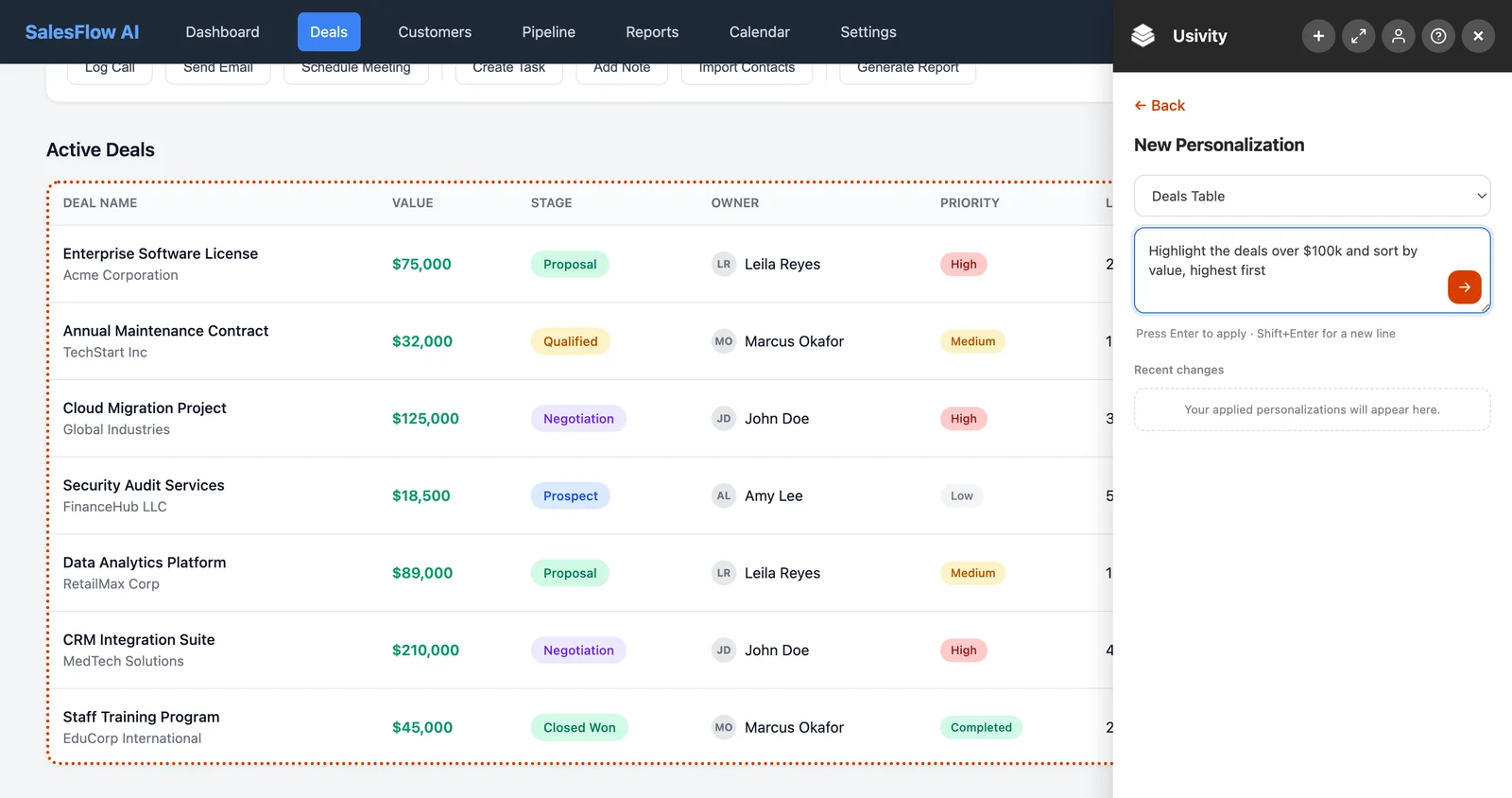
Usivity adds a panel to your product where you type the change you want. Before the demo, tailor it to the prospect. When they ask “Can you do X?”, try it live, in front of them.
- Use the prospect’s own terms throughout
- Hide what doesn’t apply to their workflow
- Lead with the views that matter to their industry
- Answer “Can you do X?” on the spot
Pilots and trials
Their pilot, in their terms, from day one.
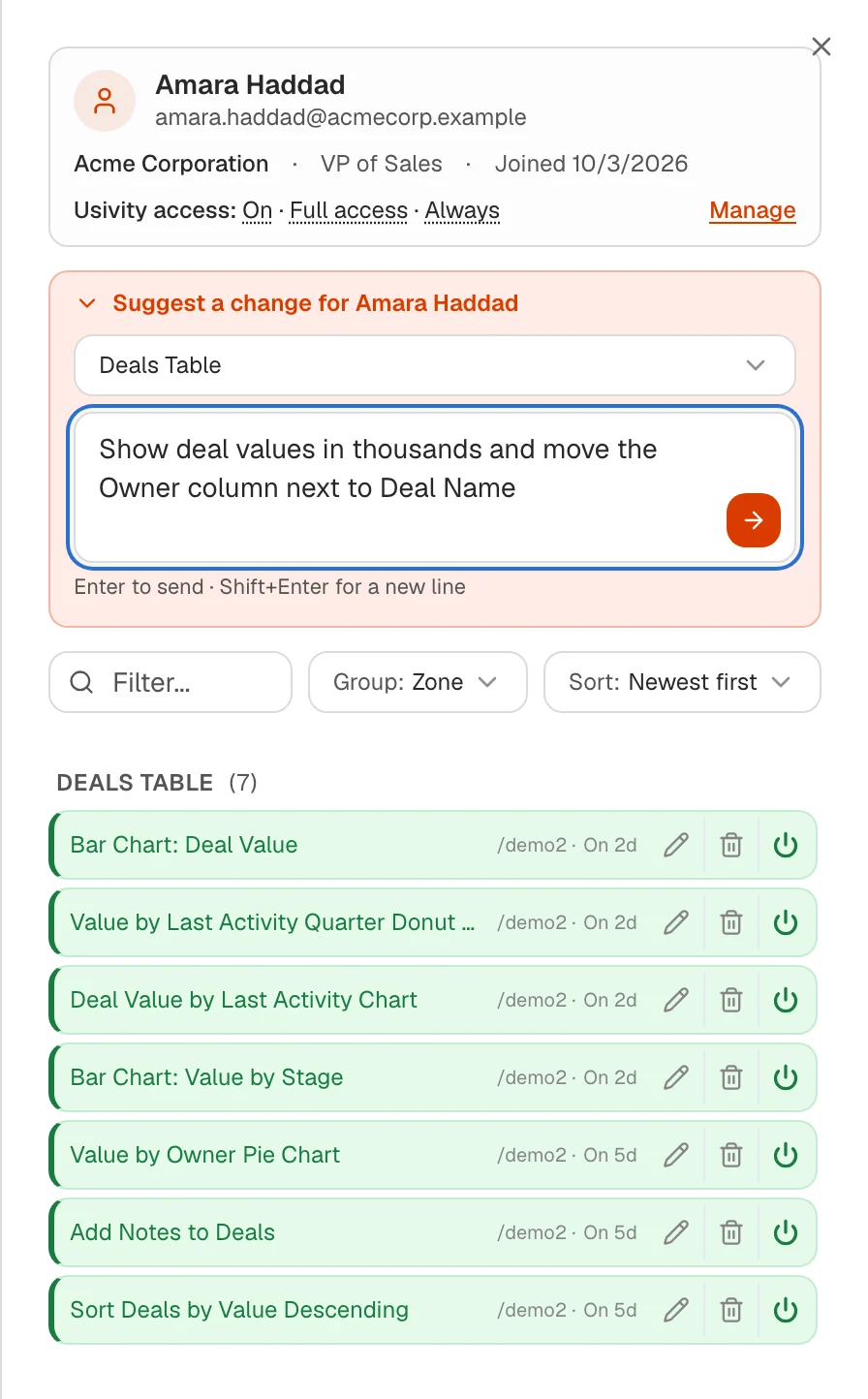
When the prospect’s team signs in to your product for a hands-on demo, a trial or a pilot, set up their views before they arrive and send them in one go.
- 1
Prepare their setup Their terms for your labels, the fields they care about first, what doesn’t apply hidden. Reuse it for the next pilot.
- 2
Send it to their users Find the prospect’s users by company in the Usivity portal and send it to all of them.
- 3
It fits from the start It waits in their Usivity panel to apply with one click. If you keep the Usivity button hidden, it’s simply there on their next visit.
The portal shows each one asWaitingAppliedCouldn’t apply
This works for people who sign in to your product with Usivity switched on, such as a trial or pilot account. Each change shows on their own view only.
The outcome
Close with demos that feel made for the prospect.
Demos tailored in seconds
Names, terms and views that match the prospect.
Less SE dependency
AEs set up the demo themselves. SE time goes to the deals that need it most.
The perfect path
Hide what doesn’t apply and show exactly the workflow that wins the deal.
Make every demo feel built for the prospect. Close more, promise less.
In ten minutes we’ll show you how to tailor a demo in plain language, live.
Book a 10-minute demo
We reply within one business day.
You’re booked.
We’ll reach out within one business day to confirm your 10-minute demo.