For Implementation & Onboarding
Faster go-lives. No one-off setups.
Push each new account’s setup straight to its users, in plain language. They accept it with a click, or it’s simply there. No engineering tickets, no custom code.
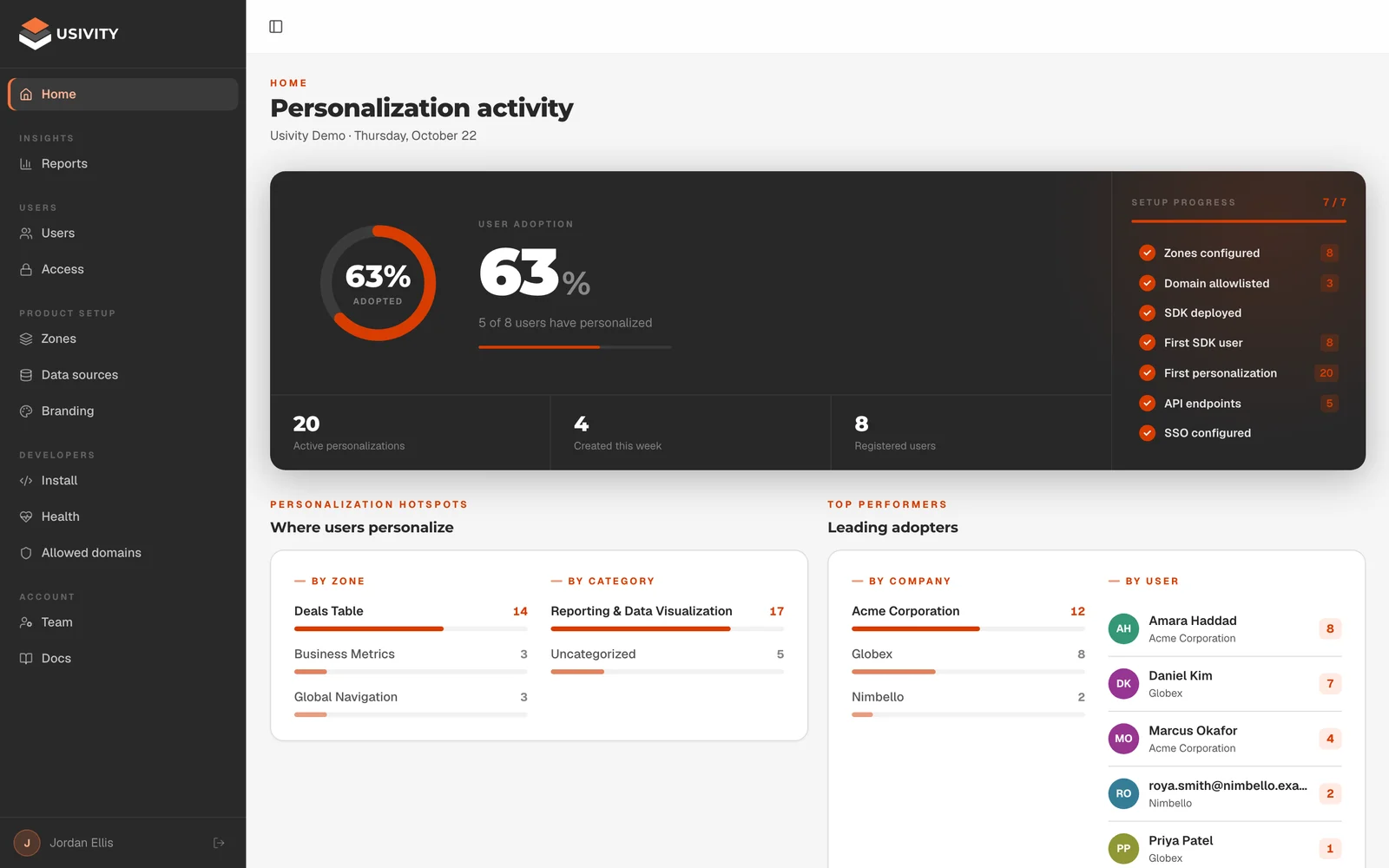
Your role, redefined
Onboard every account. No custom build.
Your job is to get each new customer live and getting value, fast.
But every account wants the product set up its own way, and too much of that turns into custom configuration and tickets to engineering. Usivity lets your team set up each account in plain language, on the standard product, and lets its users do the rest.
Set up
Set up without engineering.
Renamed labels, hidden columns, reordered views: describe them in plain language and send them. No ticket in someone else’s sprint.
Send
Push the setup to their users.
Send a change to one person or to an account’s users at once. It waits for them to accept, or it’s simply there.
Personalize
Let users finish the job.
From their first day, users personalize their own views in plain language. The small requests stop coming back to you.
Maintain
Keep one product.
Every account runs on the standard product. There is no one-off build or script to carry forward.
The pain
Every account wants it their way.
The contract is signed. Now the customer wants the product set up the way they work, and every request turns into custom work that pushes go-live back.
“Can it use our terms?”
Every new account wants its own labels, fields and views before it will go live.
Tickets to engineering
Renaming a field or hiding a module becomes a request in someone else’s sprint.
Go-lives slip
The project waits on setup work, and the customer waits longer to see value.
Setups nobody can repeat
Each account gets its own configuration, and someone has to remember how it was done.
One-offs that need upkeep
Custom setups have to be maintained, and they can break when the product moves on.
Users who never settle in
When the product still feels generic after go-live, adoption stalls before the first renewal.
With Usivity
Set up each account without a ticket.
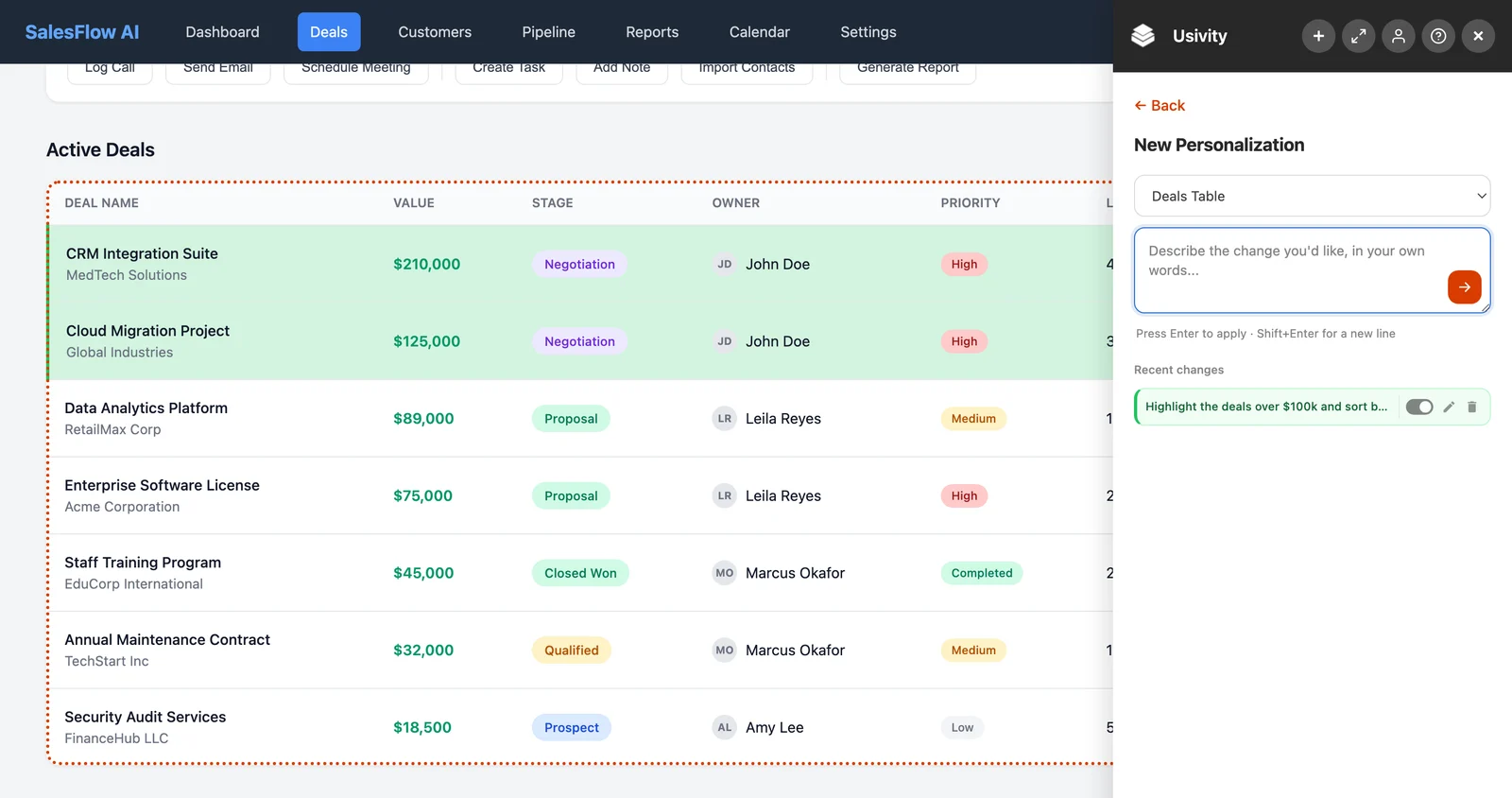
Your team prepares the setup in the Usivity portal: a plain-language request for a part of your product, such as “rename Owner to Account manager” or “hide the Forecast column”. Send it to one user, or pick an account’s users and send it to all of them at once.
Keep the changes every account needs as a standard list, ready to send to the next one. Each change applies to that user’s view only, and nothing touches your code or your data.
On onboarding calls, the small asks get answered live. No more “let me run that up the flagpole.” And your product team gets real-time feedback on the parts of the experience that actually matter.
- Configure each account without engineering
- Send one change to many users at once
- Reuse the usual setup for every new account
- Let users personalize the rest themselves
Push the setup
Send the setup straight to their users.
Each change your team sends reaches a user in one of two ways, depending on whether their Usivity button shows. So you can roll Usivity out openly, or invisibly to accounts that just want the result.
They accept it
The change waits in the user’s Usivity panel. One click applies it, or they can decline it. Until they do, your team can withdraw it.
It’s simply there
For users whose Usivity button is set to never show, the change applies on their next visit to that page. No button, no panel, no message: the product is already set up their way.
Know the setup landed
The portal shows every change you sent and what happened to it. If one couldn’t apply, it says why.
- Waiting
- Applied
- Couldn’t apply
Reports
Learn what every new account changes.
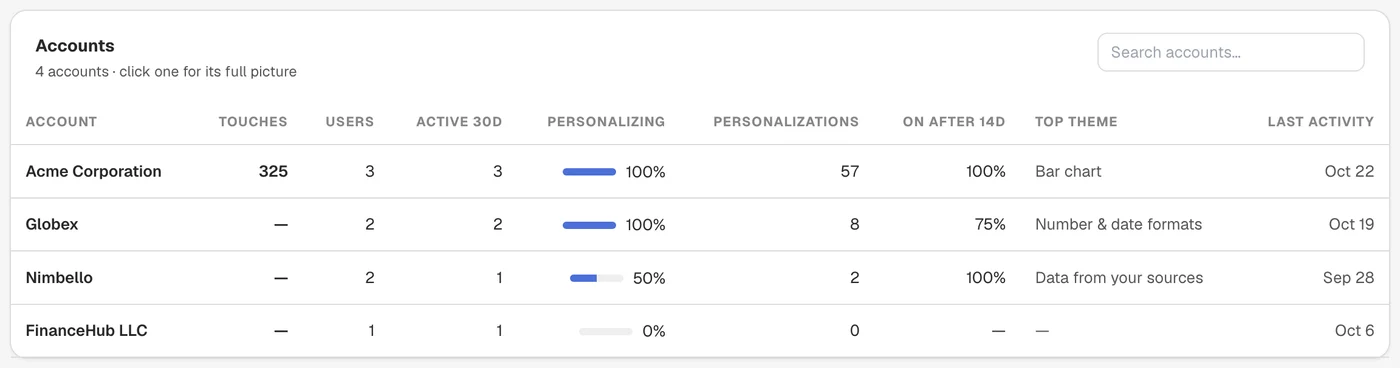
The portal’s Reports show how each account takes to Usivity and what its users change. When the same changes come up account after account, make them part of your default setup.
Adoption per account
For each account: its users, the share who personalize, how many changes they make, and how many are still on after 14 days.
Most requested changes
What users change most, by category, with how many people and accounts made each change.
The outcome
Faster go-lives. Fewer one-off setups.
Value sooner
Accounts go live on the standard product with the changes they asked for, without waiting on engineering.
Nothing custom to maintain
Changes live outside your code, so there is no account-specific build to carry forward.
A better default setup
Reports show what new accounts change most, so onboarding learns what to set up for everyone.
Frequently asked questions about implementation.
Can a user undo a change we sent?
Users who see the Usivity button can switch it off in their panel. Users whose button is set to Never can’t, so your team turns it off or deletes it for them in the portal.
Do users who join an account later get its setup?
No. A change goes to the users you pick when you send it. Send the setup to new users once they’ve signed in for the first time.
How many users can one send reach?
Up to 200. For a bigger account, send the same change in batches.
Get every new account live, its way. Without a custom build.
In ten minutes we’ll show you how your team sends a new account its setup, and what its users can change on their own.
Book a 10-minute demo
We reply within one business day.
You’re booked.
We’ll reach out within one business day to confirm your 10-minute demo.